Our smartphones have become an important part of everyday life. From the moment I wake up until I go to bed, I use my Android phone for work, communication, learning, entertainment, shopping, and managing daily tasks. Over the years, I have installed hundreds of Android apps. Some were useful, while many were deleted after only a few days. Through experience, I have found a collection of apps that truly make everyday life easier.
The Google Play Store offers millions of applications, but finding the right ones can be confusing. Instead of downloading random apps, it is better to choose reliable applications that improve productivity, communication, organization, and security.
In this article, I will share the best Android apps for daily use that I personally believe can make your smartphone more useful and help you stay productive every day.
Google Keep
Google Keep is one of my favorite note taking applications.
Whenever I have an idea, shopping list, reminder, or important information, I quickly save it in Google Keep.
The app automatically syncs across devices, so I can access my notes from both my phone and computer.
Its simple design makes organizing notes quick and easy.
Why I Like It
Easy note taking
Voice notes
Color coding
Checklists
Cloud synchronization
Google Calendar
Managing time becomes much easier with Google Calendar.
I use it to schedule meetings, set reminders, organize work deadlines, and remember important dates.
The reminder notifications help me avoid missing appointments.
The clean interface also makes planning daily activities much simpler.
Best Features
Event scheduling
Daily reminders
Task planning
Calendar sharing
Device synchronization
Google Maps
Google Maps has become essential for everyday travel.
Whether I am visiting a new place or finding the fastest route home, Google Maps saves both time and effort.
Real time traffic updates help avoid busy roads.
It also provides nearby restaurants, fuel stations, hospitals, and shopping centers.
Why It Is Useful
Navigation
Traffic updates
Location sharing
Offline maps
Business information
Communication is one of the biggest reasons people use smartphones.
WhatsApp allows me to send messages, make voice calls, video calls, and share documents with friends, family, and coworkers.
Its simple interface makes communication quick and reliable.
Group chats also help manage family and work conversations.
Main Features
Text messaging
Voice calls
Video calls
File sharing
Group chats
Gmail
Email remains an important communication tool for both personal and professional life.
Gmail helps me organize emails using labels, filters, and categories.
Its search feature makes finding old messages incredibly easy.
Receiving instant notifications also ensures I never miss important emails.
Google Drive
Google Drive keeps important files safe in cloud storage.
I use it to store documents, presentations, photos, and backups.
Since the files are stored online, I can access them from different devices whenever needed.
Sharing files with others is also very simple.
Benefits
Cloud storage
File sharing
Automatic backup
Easy collaboration
Cross device access
Microsoft Office
Many people regularly work with Word documents, Excel spreadsheets, and PowerPoint presentations.
The Microsoft Office app allows me to open, edit, and create documents directly from my Android phone.
This is especially useful when I need to make quick changes while traveling.
Canva
Canva has become one of the most popular graphic design applications.
Even beginners can create professional looking graphics without design experience.
I use Canva to create social media posts, YouTube thumbnails, blog graphics, presentations, and simple marketing materials.
Its templates save a lot of time.
Best Features
Ready made templates
Social media graphics
Presentations
Logos
Simple editing tools
Spotify
Music helps improve my mood while working or relaxing.
Spotify provides access to millions of songs and podcasts.
I enjoy creating playlists for different situations like exercise, study sessions, and travel.
The recommendation system also introduces new music based on my listening habits.
YouTube
YouTube is much more than an entertainment platform.
I use it for learning new skills, watching tutorials, staying updated with technology, and improving my knowledge.
Whether I need cooking instructions, coding lessons, or fitness guidance, YouTube usually has the answer.
Google Chrome
Google Chrome is my preferred web browser.
It synchronizes bookmarks, passwords, browsing history, and open tabs across all my devices.
The browsing speed and clean interface make everyday internet use comfortable.
Built in password management also improves convenience.
Files by Google
Keeping storage organized is important for maintaining phone performance.
Files by Google helps remove duplicate files, temporary data, and unnecessary downloads.
It also makes file management much easier.
Whenever my phone storage starts filling up, this is the first app I use.
Main Benefits
Storage cleanup
File organization
Duplicate removal
Offline file sharing
Easy browsing
Adobe Acrobat Reader
Many important documents are shared in PDF format.
Adobe Acrobat Reader allows me to read, highlight, search, and manage PDF files directly from my phone.
This becomes especially useful for work and study.
Google Translate
Language barriers become much smaller with Google Translate.
Whether reading foreign websites or communicating while traveling, translation becomes quick and simple.
The camera translation feature is especially helpful for translating signs and printed text.
Snapseed
Snapseed is an excellent free photo editing application.
I use it to improve brightness, colors, sharpness, and overall image quality before uploading photos online.
Despite being free, it offers many professional editing features.
Zoom
Online meetings have become a normal part of work and education.
Zoom allows video meetings, online classes, interviews, and virtual collaboration from anywhere.
The app remains simple enough for beginners while offering professional features.
Notion
Notion combines notes, planning, project management, and organization into one application.
I use it to organize work projects, create task lists, and keep personal notes.
Instead of switching between several apps, everything stays in one place.
Google Authenticator
Online security is extremely important today.
Google Authenticator generates verification codes for two factor authentication.
Using this app significantly improves account security by adding an extra layer of protection.
Weather App
Checking the weather before leaving home helps me plan the day more effectively.
A reliable weather application provides forecasts, rainfall predictions, temperature updates, and weather alerts.
This helps me prepare for changing conditions.
Calculator
Although simple, the calculator remains one of the most useful daily applications.
Whether calculating expenses, discounts, measurements, or percentages, having quick access saves time.
Why Choosing the Right Apps Matters
Many people install dozens of unnecessary applications.
This fills storage, reduces battery life, and creates unnecessary distractions.
I prefer keeping only apps that provide real value every day.
A smaller collection of useful apps makes the smartphone faster and easier to use.
Quality always matters more than quantity.
Tips for Managing Android Apps
Review installed apps regularly.
Remove applications you no longer use.
Keep important apps updated.
Download apps only from trusted sources.
Avoid installing unnecessary applications that request excessive permissions.
Regular maintenance helps improve both performance and security.
Common Mistakes Android Users Make
One common mistake is installing too many apps.
Another is ignoring updates, which often contain security improvements.
Many users also allow every app to run in the background, reducing battery life.
Managing permissions carefully and removing unused applications keeps the phone running efficiently.
Are Free Apps Enough?
In most cases, yes.
Many excellent Android applications are completely free and provide all the features needed for everyday use.
Premium versions usually offer additional convenience, but most users can accomplish daily tasks without spending money.
Choosing reliable free applications is often enough.
Final Thoughts
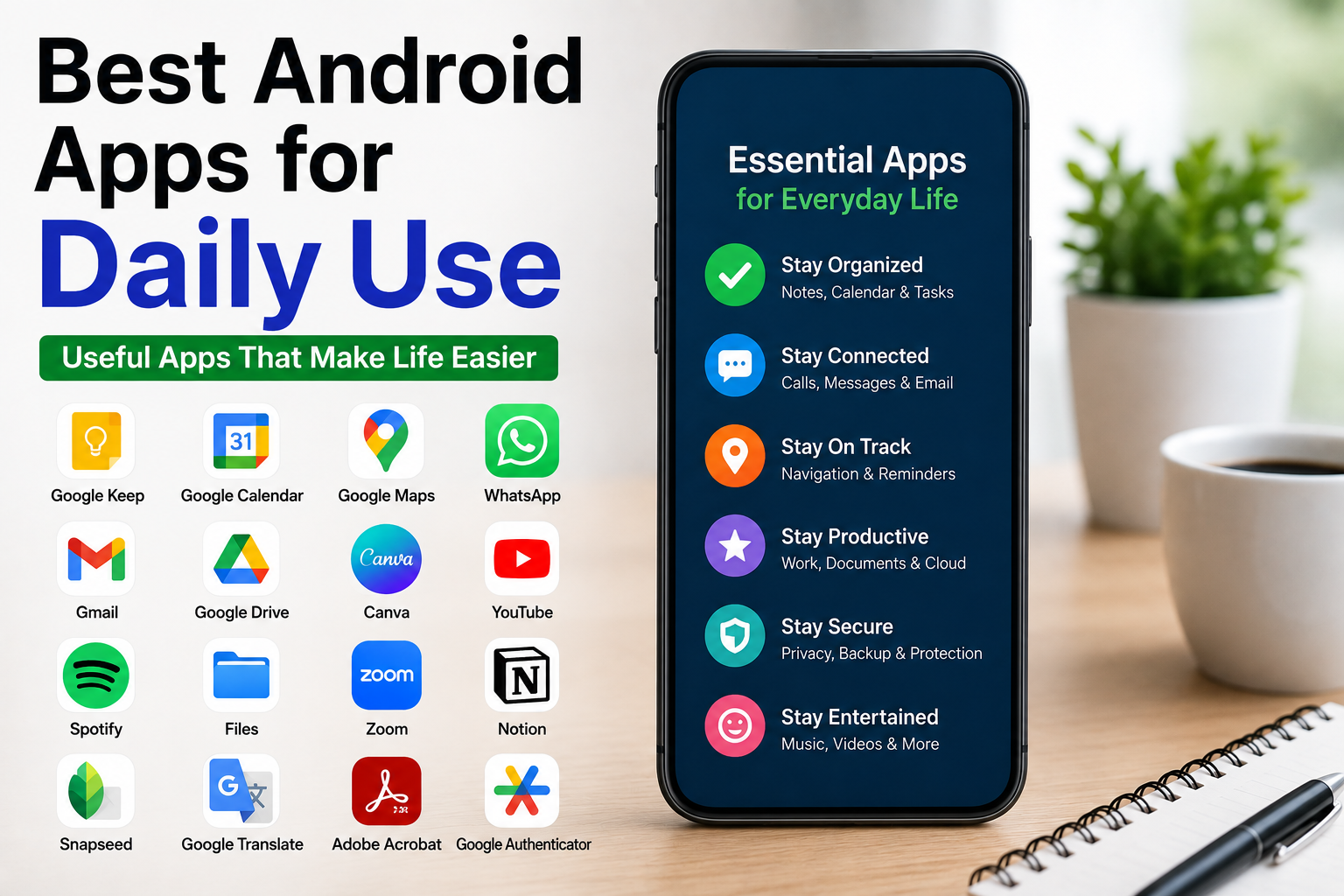
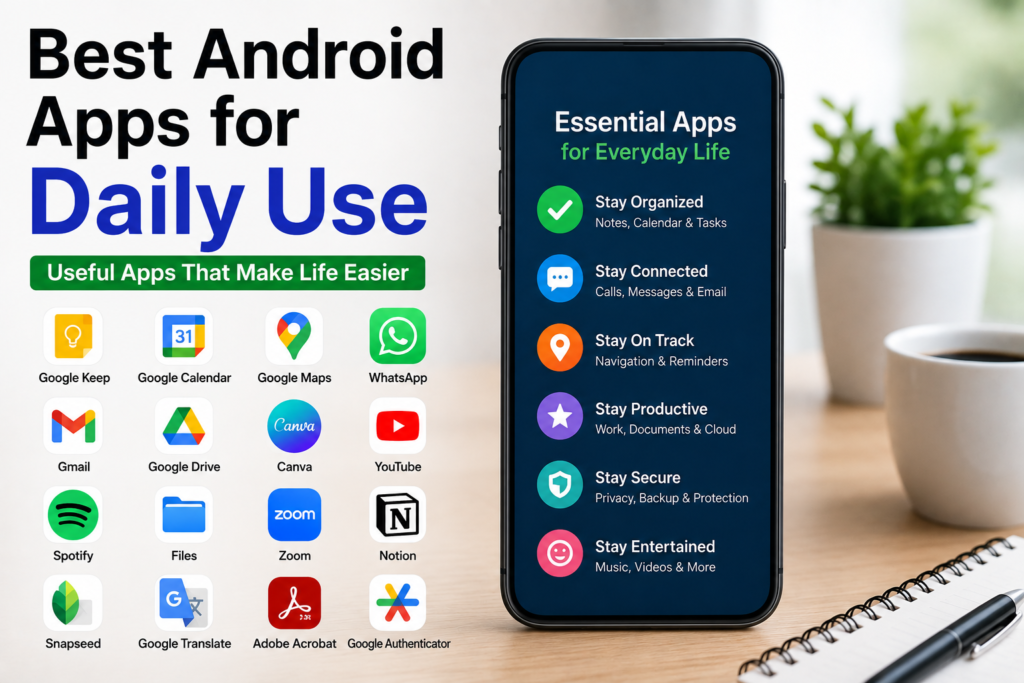
Finding the best Android apps for daily use can completely change the way you use your smartphone. Instead of filling your device with unnecessary applications, focus on installing tools that improve productivity, communication, organization, learning, and security. Apps like Google Keep, Google Calendar, Google Maps, WhatsApp, Gmail, Google Drive, Canva, Spotify, YouTube, Files by Google, Snapseed, Notion, Zoom, and Google Authenticator have become part of my daily routine because they help me save time and stay organized.
Every person’s needs are different, so your perfect collection of apps may vary. However, choosing reliable, well maintained applications and using them wisely will make your Android phone more efficient and enjoyable. A few carefully selected apps can make everyday tasks easier, increase productivity, and help you get more value from your smartphone without unnecessary clutter.